

Open-source Firmware
Explore community sounds and firmware, experiment with synths and grooveboxes, or code a new way to play.
Fingersonic Guitar is now available for pre-order. The estimated shipping time is late November 2026.
Fingersonic Guitar
Six touch strings. Pick each note. Make it your own.
Chords. Rhythm. Loop. Pick a chord, add a beat and make room for your voice.
Open-source firmware. Explore synths and grooveboxes. Code what comes next.
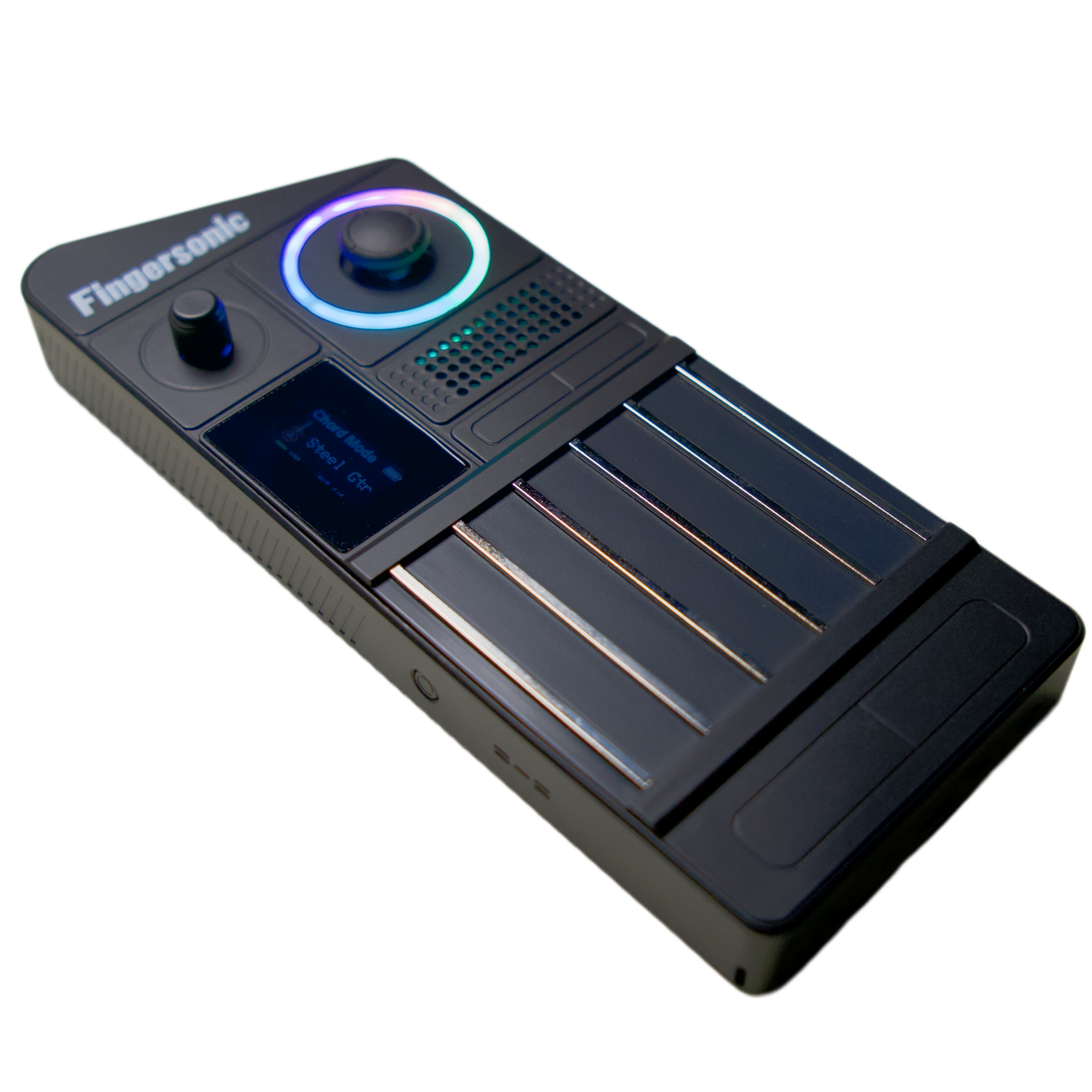
Fingersonic Guitar
Six touch strings, expressive chord control and built-in rhythm. Play, sing and create with a 150 g pocket guitar that grows with your ideas.
Explore community sounds and firmware, experiment with synths and grooveboxes, or code a new way to play.
Connect to compatible DAWs and music apps through USB-C or wireless Bluetooth MIDI.
Use the Fingersonic App for AI chord recognition, guided song play-along and your own custom chord banks.
Choose chords with eight directions. Hold to record, release to loop and layer another part.
Five guitar tones, plus volume, reverb, transpose and CAPO. Shape your sound with one multifunction knob.
Use the small sliders for pitch bend or drum pads. Sweep the strumming areas for automatic rhythms.
See tones, chord targets, settings, tempo and battery status on a 0.96-inch color screen.
Play through the built-in speaker or 3.5 mm output. A 1500 mAh battery keeps your setup compact.
Explore the details. Tap a point to see what it does.

Choose chords with eight directions, or select frets in Solo Mode. With Loop enabled, hold while playing to record; release to loop, then hold again to overdub. The RGB ring shows chord and playing status.
Five guitar tones, volume, reverb, transpose and CAPO. Press to choose a function and turn to adjust. Hold for three seconds to open Settings.
The 0.96-inch color screen shows your tone, chord, mode, tempo, settings and battery status.
Play and hear your ideas without an external speaker. Use the 3.5 mm headphone/audio output for quiet practice or an external audio setup.
Use the two small touch sliders for expressive pitch bend or switch them to drum pads. Add your own beat and layer it into a Loop.
Play individual notes in the familiar E–A–D–G–B–E layout, or strum a chord. Touch all six strings together to mute the guitar notes.
Sweep across both Strum areas to play a guitar-and-drum pattern. Hold this upper area for about two seconds, then turn the knob to choose a rhythm pattern.
Sweep across both Strum areas to play a pattern. Tap this lower area evenly three or more times to set the tempo for your accompaniment.
Press and hold for about three seconds to turn the guitar on or off. This is the dedicated power control.
Charge the guitar with a 5 V USB-C supply. The same port carries USB MIDI to compatible DAWs and software instruments.
Connect stereo earphones for quiet practice, or send the guitar sound to an external audio setup.

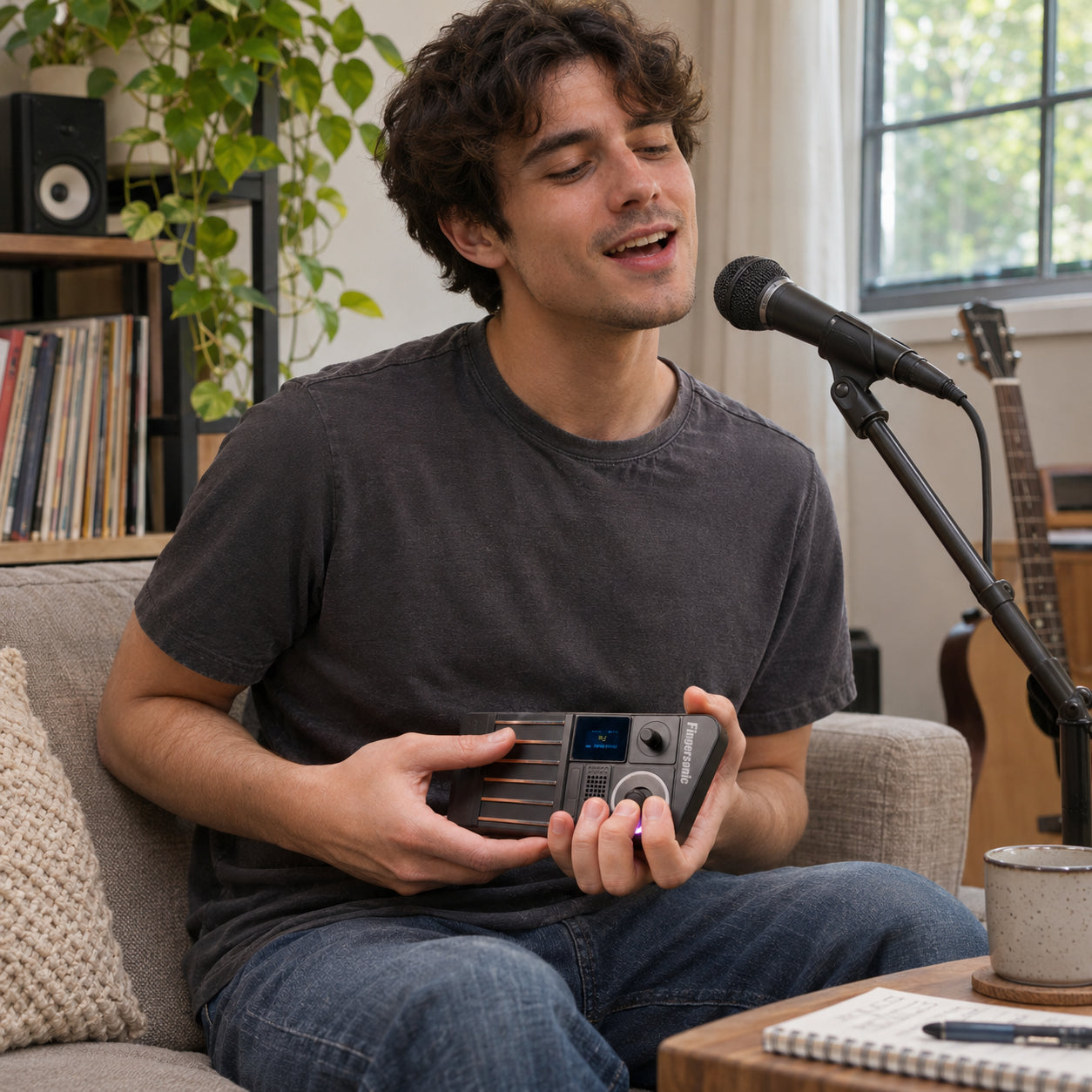
A little accompaniment for the songs you love.
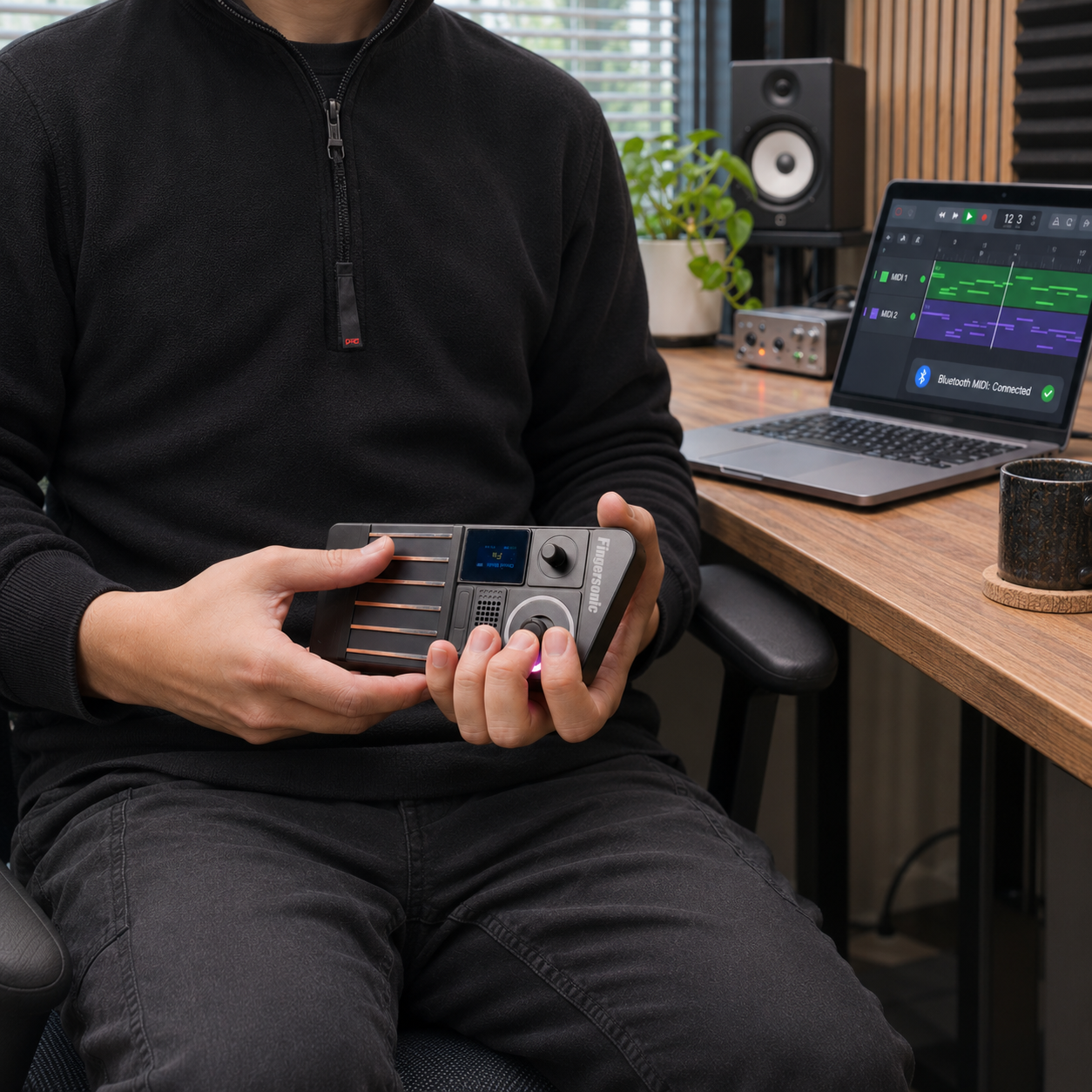
Take your ideas into a compatible DAW with USB or Bluetooth MIDI.
Fingersonic App
Explore AI chord recognition, follow the music and make the guitar your own with custom chord voicings.
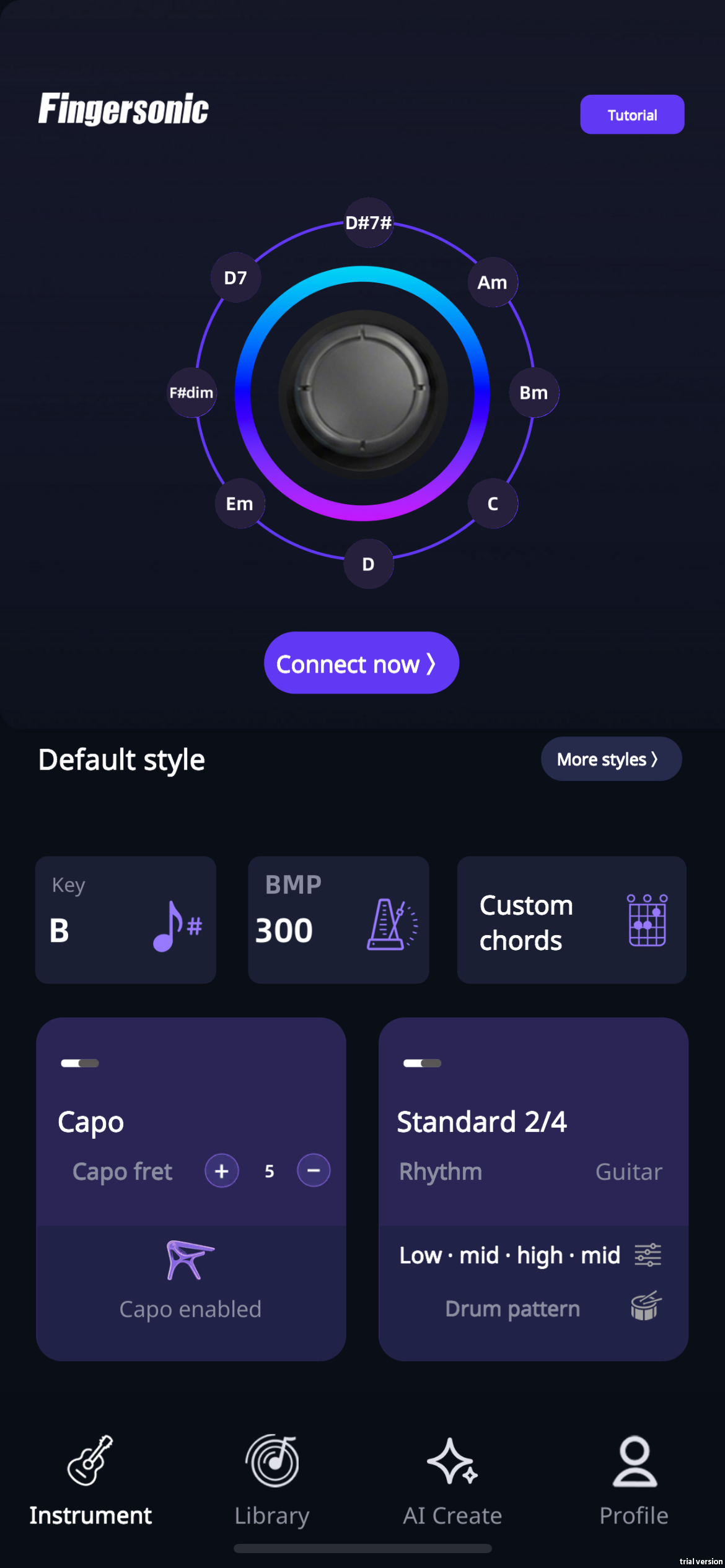
Choose your key, tempo, rhythm and CAPO from one place.
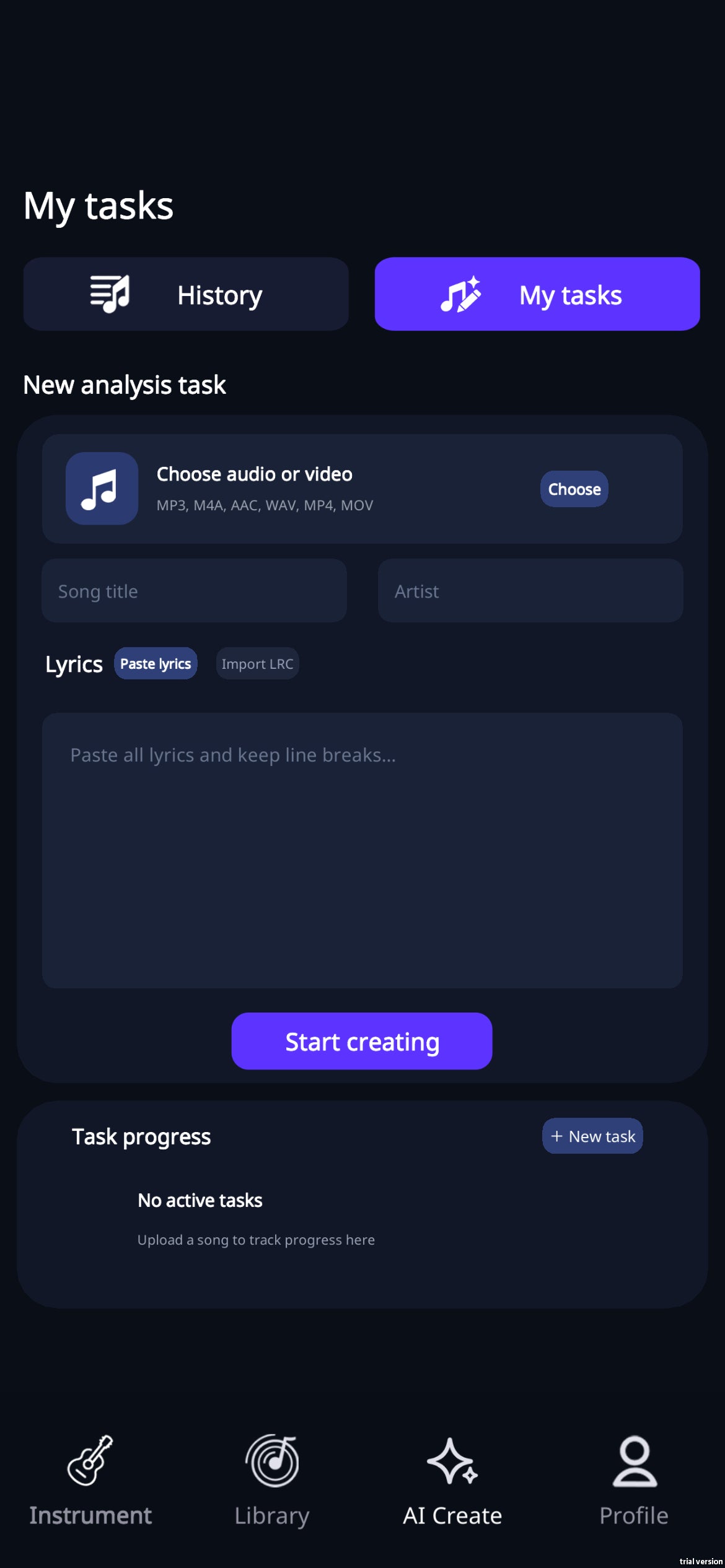
Import audio or video to create a chord-analysis task for a song you want to play.
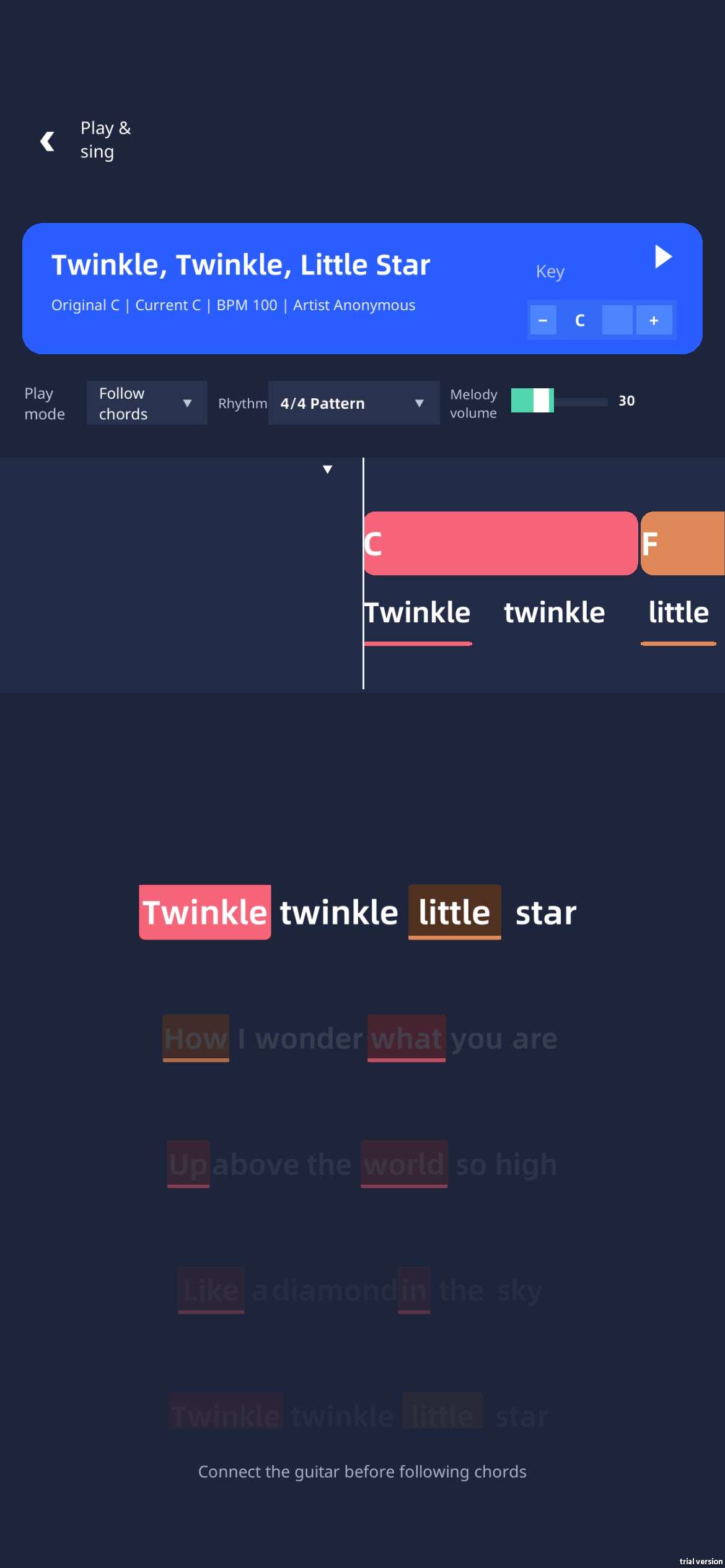
Follow the scrolling chords, lyrics and rhythm cues while you play and sing.
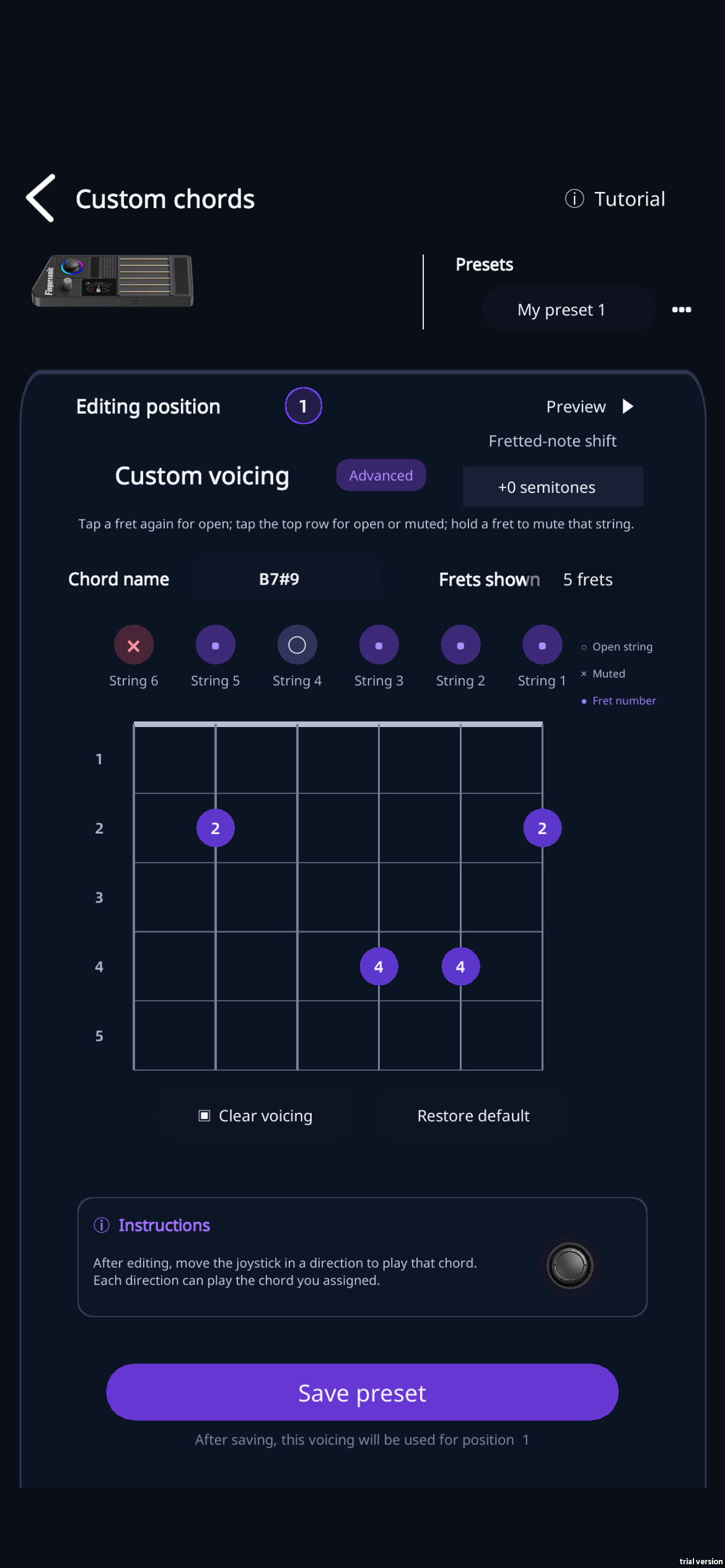
Build your own voicings and assign them to the joystick’s eight directions. Save an eight-slot bank to the guitar.

Chords, rhythm & Loop
Choose a chord with the joystick. Sweep the large touch sliders to play a pattern, or pick the six strings one by one. Add a drum beat and use Loop to build your own accompaniment.

Your sound, your way
Five guitar tones. One multifunction knob. Choose your sound, then shape volume, reverb, transpose and CAPO with a press and a turn.

Expressive touch controls
The small touch sliders switch between expressive pitch bend and drum-pad performance. Play a rhythm by hand or overdub it into a Loop.

USB & Bluetooth MIDI
Connect to compatible DAWs and software instruments with USB MIDI or Bluetooth MIDI. Record the notes you play, control virtual instruments and make this small guitar part of a larger music setup.

Speaker & rechargeable battery
Built-in speaker. Rechargeable battery. Just 150 g. Enjoy approximately four hours of use, then recharge through USB-C. For quiet practice, plug headphones into the 3.5 mm output.


Open firmware
Open the door to a different instrument. Explore community firmware such as FM Studio, a synth and groovebox, or try a six-string arcade game. Start with the open developer kit and code your own ideas.
172 × 71 × 20 mm. Just 150 g.
Built to go wherever a song takes you.
Battery life and charging times are approximate and vary with use.
Yes. The guitar has its own sound source, five guitar tones, speaker, rhythm accompaniment and Loop function. The Fingersonic App adds AI chord recognition, guided song play-along and custom chord editing.
Create a bank of eight chord slots in the Fingersonic App and sync it to the guitar. The bank supports common, extended and altered chords, slash bass and N.C. silent slots. Select Custom under Transpose to recall those slots with the eight joystick directions. The saved bank remains after restart.
Enable Loop in Settings. Hold the joystick and start playing; release it to close the first take and begin looping. Hold again while playing to overdub. To clear a Loop, hold the joystick for at least two seconds without playing, then release. Local Loop is unavailable in App Follow mode.
The wireless connection is Bluetooth MIDI for the Fingersonic App and compatible music software. For audio, use the built-in speaker or 3.5 mm output. When MIDI Mode is enabled, the guitar's local sound is muted.
The 1500 mAh rechargeable battery provides approximately four hours of use. Charging takes approximately 2.5–3 hours through USB-C with a compliant 5 V supply. Actual battery life varies with volume, lighting, wireless use and other conditions.
Browse optional community projects such as synth and groovebox experiments, or use the developer kit to build your own firmware. Project features and compatibility vary. Fingersonic Lab provides source links, project notes and official firmware recovery resources.
In Chord Mode, sweep across the two large strumming areas to trigger a one-bar pattern. Hold the upper area to choose a rhythm and meter. Tap the lower area evenly three or more times to measure 30–200 BPM, then fine-adjust with the encoder from 20–300 BPM. Local automatic strumming is unavailable in Solo Mode and App Follow mode.